
IRD Services & Registration
Tax Identification Number Nepal: Complete PAN Registration and Banking Guide
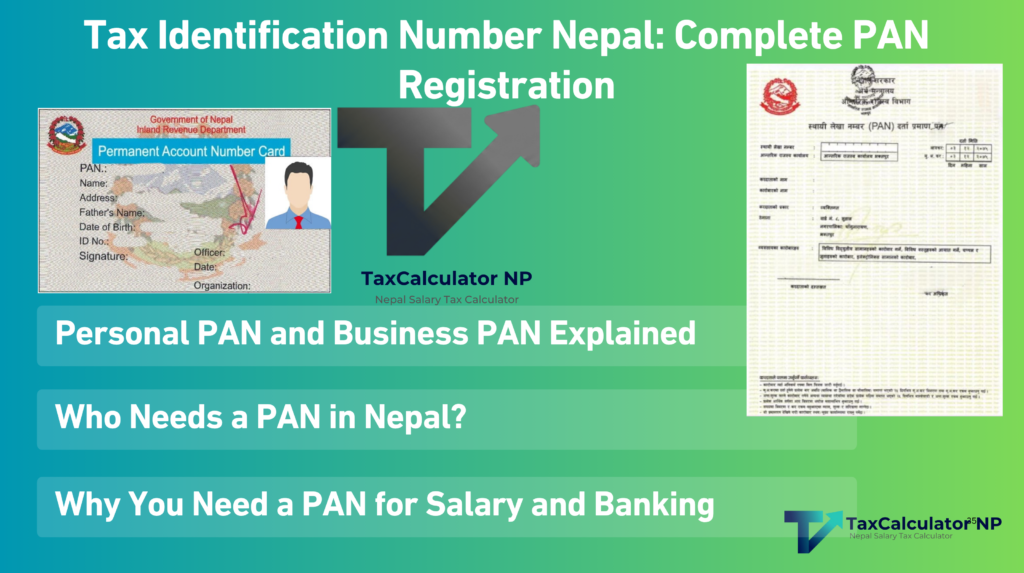
Searching for tax identification number Nepal usually means you need information about the Permanent Account Number, commonly called PAN. This nine-digit number connects your salary, business income, tax deductions and tax records with Nepal’s Inland Revenue Department.
A PAN number Nepal registration is especially important when you start a salaried job, operate a business or apply for income-based banking facilities. Employers use PAN when reporting salary tax. Banks may also request it when processing salary accounts, salary-backed loans and other credit applications.
This guide explains the PAN system, its connection with income tax in Nepal, and the steps for applying through the IRD tax portal.
Last operational review: August 2026
What Is a Tax Identification Number (PAN) in Nepal?
A Permanent Account Number is the unique taxpayer identification number issued by Nepal’s Inland Revenue Department.
PAN contains nine digits. Once issued, it normally remains connected to the same taxpayer permanently. Changing your employer, residential address, business location or business activity does not mean you should apply for another PAN.
Section 78 of the Income Tax Act, 2058 authorizes the Inland Revenue Department to issue PAN for taxpayer identification. The Act also allows the department to require PAN on tax returns, statements and other prescribed documents.
PAN helps the government match:
- Salary and employment income
- Tax deducted at source
- Business income and expenses
- Income tax returns
- Advance tax payments
- Banking and financial information where PAN disclosure is required
- Tax clearance and compliance records
The IRD guidance on PAN states that a person expecting to earn assessable income or deduct tax from payments must obtain PAN before earning that income or making the taxable payment.
Are TIN and PAN the Same in Nepal?
Yes, the Tax Identification Number (TIN) and Permanent Account Number (PAN) are exactly the same in Nepal. PAN is simply the official term used by the Inland Revenue Department for your 9-digit tax identification number.
Personal PAN and Business PAN Explained
PAN applications are generally discussed as Personal PAN and Business PAN. The correct selection depends on whether the applicant is registering as a natural person or for business activity.
| Point of comparison | Personal PAN or PPAN | Business PAN |
|---|---|---|
| Main applicant | Individual or natural person | Business, firm, company, partnership, institution or eligible business operator |
| Common users | Employees, professionals and individual taxpayers | Sole proprietorships, companies, firms, partnerships and organizations |
| Main purpose | Salary TDS, personal tax records and individual income | Business transactions, invoicing, tax returns and commercial activities |
| Payroll use | Employer reports salary and TDS under the employee’s PPAN | Business uses PAN when reporting payments and employee TDS |
| Bank use | Salary verification and personal credit assessment | Business account opening, business loans and financial verification |
| Tax return | Personal income tax return when required | Business or entity return based on its registration and tax status |
| VAT status | Personal PAN does not mean VAT registration | A business may also need VAT registration when applicable |
A company and its employee do not share the same PAN. Each employee uses an individual PPAN, while the company uses its own business PAN.
However, one natural person should not obtain multiple PANs. If you already have a Personal PAN and later begin a sole-proprietor business, contact the relevant Inland Revenue Office or Taxpayer Service Office. The IRD may add or update the business activity under your existing taxpayer record.
The IRD specifically advises that one person or entity should have only one PAN during its lifetime. Applying again because you forgot your number, changed jobs or moved to another district may create duplicate records.
Who Needs a PAN in Nepal?
You generally need PAN if you:
- Receive a taxable salary
- Work for an employer that reports salary through e-TDS
- Operate a registered business
- Work as an independent professional or consultant
- Receive payments subject to tax deduction at source
- Issue business bills or tax invoices
- File an income tax return
- Import or export goods under a registered business
- Apply for banking facilities that require verified income or tax documents
An employee should obtain PPAN before the employer finalizes payroll registration. This allows the employer to report salary tax against the correct taxpayer.
A registered company, partnership or institution needs business PAN before carrying out applicable commercial and tax-related transactions.
Using PAN as a Foreign TIN for AdSense and Upwork
If you are a freelancer, blogger, YouTuber, or remote worker, international platforms like Google AdSense, Upwork, or Apple Developer will ask for a “Foreign TIN” on their US W-8BEN tax forms. In this case, you simply enter your 9-digit Nepal PAN, as it serves as your official Foreign Tax Identification Number.
Why You Need a PAN for Salary and Banking
PAN has become part of routine payroll and banking verification in Nepal. From a banking-operations perspective, it helps connect the salary shown by an employer with the tax reported to the government.
However, PAN and banking KYC are not the same thing. PAN supports tax and income verification. Citizenship and National Identity information establish the customer’s identity.
PAN for Salary Payroll
When an employer prepares monthly payroll, it calculates gross salary, eligible deductions, taxable income and salary tax.
The employer then deducts tax from the employee’s salary and reports the amount through e-TDS. The employee’s PPAN tells the IRD which taxpayer should receive that tax credit.
Without the correct PAN:
- Salary tax may not appear in the employee’s tax record.
- The employer may be unable to complete e-TDS reporting correctly.
- The employee’s tax certificate may not match the IRD record.
- Future tax-return or tax-clearance work may be delayed.
- Payroll onboarding may remain incomplete.
This is why many employers treat PPAN as a mandatory joining or payroll document.
Always check that your name and PAN on the salary sheet match your IRD registration. A single incorrect digit can place the tax deduction under the wrong record or cause the submission to fail.
PAN for Opening a Salary Account
Banks normally open salary accounts through an agreement or payroll arrangement with an employer. The bank receives employee information such as name, account details, identity documents, employment status and salary amount.
Many employers and banks request PAN during salary-account onboarding because it supports payroll and tax verification. In practice, the employer may refuse to activate payroll until the employee submits PPAN.
Still, PAN is not the only account-opening document. Current Nepal Rastra Bank customer-identification rules place strong emphasis on National Identity information for account opening. You should therefore keep your citizenship, National Identity Number and PAN ready.
An ordinary personal savings account may not always require PAN under every bank product. Requirements can vary according to the account type, transaction risk, employer agreement and bank policy. The current account-opening framework can be checked in the Nepal Rastra Bank AML/CFT directive for licensed banks and financial institutions.
PAN for Bank Loans
Banks commonly request PAN for salary-backed loans and other facilities where approval depends on verified income.
The credit team may compare:
- Salary certificates
- Bank statements
- Payslips
- Employment contracts
- PAN details
- Tax-deduction certificates
- Income tax returns
- Tax-clearance documents
- Existing loan obligations
PAN gives the bank a consistent reference for reviewing declared income and tax compliance. This is particularly relevant for home loans, vehicle loans, professional loans, business loans and larger personal-credit facilities.
A PAN alone does not guarantee loan approval. The bank will also examine repayment capacity, credit history, employment stability, collateral and the debt-to-income position.
Similarly, PAN is not a universal legal condition for every small retail loan. The requirement depends on the loan product, amount, borrower category and the bank’s credit policy. Operationally, however, a missing PAN can delay or stop an income-based loan application when tax verification is part of the approval process.
PAN Helps You Verify Salary TDS
Every month, your employer may deduct salary tax before depositing your net salary. That deduction should be deposited and reported against your PPAN.
Employees should periodically confirm that:
- The PAN on the employer’s payroll is correct.
- The tax deducted from the payslip matches the employer’s records.
- The employer has submitted the corresponding e-TDS details.
- The tax credit appears under the employee’s taxpayer record.
A deduction shown on a payslip does not by itself prove that the amount has been deposited. If the credit is missing, contact your payroll or finance department with the relevant payslip, tax certificate and PAN details.
How to Apply for a PAN Online Through the IRD Tax Portal
You can apply for Personal PAN online through the official Inland Revenue Department system. The portal can occasionally load slowly, especially near tax-return deadlines. Use a desktop browser, keep scanned documents ready and save your submission number.
The official IRD instructions still recommend Mozilla Firefox for PAN applications. If buttons or upload fields do not work correctly in another browser, try an updated version of Firefox.
Step 1: Prepare Your Scanned Documents
Before opening the application, prepare:
- A recent passport-size photograph
- Scanned front of your citizenship certificate
- Scanned back of your citizenship certificate
- Working mobile number
- Active email address
- Employer details, if you are employed
- Employer recommendation or employment document, when applicable
Use clear scans. Blurred citizenship details, cropped documents or an unreadable photograph may delay verification.
Step 2: Open the Official IRD Website
Visit the official Inland Revenue Department website.
Select the Taxpayer Portal, or open the IRD Taxpayer Portal directly.
Avoid entering citizenship, PAN or password information on unofficial websites. Confirm that the domain belongs to ird.gov.np.
Step 3: Open the PAN Registration Form
From the portal menu:
- Select Registration (PAN, VAT, EXCISE).
- Open Application for Registration.
- Select Personal PAN under the “Registration For” option.
For a company, firm or other business, select the appropriate business-registration option instead of Personal PAN.
Portal labels may be adjusted during system updates, but the application remains under the registration section.
Step 4: Create Your Submission Login
Enter the requested details:
- Username
- Password
- Password confirmation
- Contact number
- Email address
Choose a password you can retrieve later. This login is used to continue the application and print the PAN certificate after verification.
Do not use your PAN password for other banking or email accounts.
Step 5: Choose the Verification Office
Select the office that will verify your application.
Choose:
- IRO for an Inland Revenue Office, or
- TSO for a Taxpayer Service Office.
Select a convenient office based on your location. If the application requires physical verification or original documents, you may need to visit the selected office.
Step 6: Save the Submission Number
Select Continue after confirming the registration type and verification office.
The system will generate a submission number. Save it immediately by taking a screenshot or writing it down.
The submission number is not your final PAN. It is the reference number for your pending application.
Step 7: Enter Your Personal Details
Complete your name in both Nepali and English exactly as shown on your citizenship certificate.
Enter:
- Date of birth
- Gender
- Citizenship number
- Citizenship issue date
- Citizenship issue office
- Citizenship issue location
- Contact information
- Family details
- Permanent address
- Current address
Do not shorten your name or add an unofficial spelling. A mismatch between PAN, citizenship, payroll and bank records can cause later verification problems.
Step 8: Upload Your Photograph and Citizenship
Upload the passport-size photograph in the photo section.
Next, enter the citizenship information and upload the scanned citizenship document. Ensure both sides are included where the portal requests them.
If the file is too large, resize or compress it while keeping the text readable. Do not upload an altered identity document.
Step 9: Enter Employment or Professional Details
If you are employed, select the relevant employment and occupation options. Enter the employer details requested by the form.
The IRD instructions may ask for the employer’s recommendation or reference number. Upload or present the supporting employment document when applicable.
If you are not currently employed and none of the listed categories applies, select the relevant “Other” option rather than entering false employer information.
Step 10: Review and Submit the Application
Check every section before submission.
Pay particular attention to:
- English and Nepali spelling of your name
- Citizenship number
- Date of birth
- Mobile number
- Email address
- Verification office
- Employment status
- Uploaded documents
Select Save/Submit when the information is correct.
Step 11: Complete OTP Verification
After submission, the system sends an OTP to the registered mobile number and email address.
Enter the OTP in the portal. If it does not arrive immediately, wait a few minutes and check your email spam folder before requesting another code.
Repeatedly clicking the resend button may create delays.
Step 12: Receive and Print Your PAN
The selected IRD office reviews the application. Once verification is complete, the PAN is sent to the registered mobile number and email address.
You can then use the application login to download or print the PAN certificate.
According to the official IRD PAN application instructions, applicants can also apply through Nepal’s Nagarik App where the service is available.
Alternative: Nagarik App e-PAN Registration
While the IRD portal is the standard method, you can also complete your registration entirely through the official Nagarik App. This mobile method allows you to verify your citizenship, upload your photo directly from your phone camera, and receive your e-PAN without needing to scan documents separately.
Required Documents for PAN Registration
Document requirements depend on whether you are registering for Personal PAN or Business PAN. The verifying office may request additional evidence if the information cannot be confirmed electronically.
Documents for Personal PAN or PPAN
A Nepali citizen should normally prepare:
- Citizenship certificate
- Scanned front and back of the citizenship certificate
- Recent passport-size photograph
- Mobile number
- Email address
- Permanent and current address
- National Identity Number, when requested
- Employer recommendation, appointment letter or employment evidence, if applicable
- Professional licence or certificate for regulated professions, if applicable
- Online submission number
Non-Nepali applicants may need:
- Passport
- Recent passport-size photograph
- Employer recommendation
- Work-related authorization
- Document confirming foreign-national status
- Other immigration or identification documents requested by the IRD
Documents for Business PAN
A business applicant may need:
- Business, firm or company registration certificate
- Citizenship or identification documents of the proprietor, partners or directors
- Passport-size photographs of the responsible persons
- Partnership deed, where applicable
- Memorandum and Articles of Association for a company
- Business address evidence
- Rent or lease agreement, where applicable
- Property-ownership evidence if operating from an owned location
- Location map or sketch
- Local-level registration or business licence
- Sector-specific approval or licence
- Board decision or authorization letter for the representative
- Contact number and email address
- Online application submission number
The exact list differs for a sole proprietorship, partnership, private company, public company, institution or non-profit entity. Follow the document list displayed by the portal and the instructions of the selected tax office.
How to Check or Verify a PAN Number in Nepal
The IRD provides an official PAN Search service for checking registered PAN information.
Use the search function when you need to confirm:
- Whether a PAN is valid
- The registered taxpayer name
- The taxpayer’s registration status
- Whether an invoice contains a valid business PAN
- Whether the PAN supplied for a business transaction matches IRD records
For your own PAN, compare the search result with your citizenship, salary sheet and bank documents.
Do not publish your full citizenship documents, password, OTP or taxpayer-portal login information. If an employer or bank asks for PAN, provide the PAN certificate through its approved document channel.
Common PAN Problems and How to Fix Them
The Name on the PAN Does Not Match the Citizenship
Contact the relevant IRO or TSO for correction. Carry the original citizenship certificate and the PAN document.
Correct the record before submitting it to your employer or bank.
You Changed Your Employer
You do not need a new PAN. Give the same PPAN to the new employer.
Ask the old and new employers to report salary and TDS under that number.
You Already Have PAN but Cannot Remember It
Do not submit a new application.
Check old salary records, tax certificates, emails or portal records. You can also contact the IRD office with your citizenship details.
You Received Two PAN Records
Report the duplicate to the IRD. Do not decide by yourself which number to use.
The department must review and correct the taxpayer record.
Salary Tax Is Missing From Your PAN
First, compare the PAN on your payslip or tax certificate with your actual PAN.
Then ask the employer for the e-TDS submission details. If the employer used an incorrect PAN, its finance team may need to correct the filing.
Frequently Asked Questions
Is PAN mandatory for every bank account in Nepal?
Not necessarily. PAN is widely required for payroll-linked accounts, business accounts and transactions involving tax or income verification. Current banking KYC also requires National Identity information. Requirements depend on the account type, employer agreement, customer risk and bank policy.
Can I receive a salary without Personal PAN?
An employer may temporarily process payment during onboarding, but regular payroll and salary-tax reporting normally require PPAN. Without it, the employer may be unable to credit salary TDS to your taxpayer record. Obtain PAN before or immediately after joining a salaried position.
Is PAN mandatory when applying for a bank loan?
Banks commonly require PAN for salary-backed, business and income-assessed loans. It helps verify declared income and tax documents. The exact requirement depends on the loan product and bank policy. PAN does not replace salary evidence, bank statements, collateral or credit assessment.
Can I have both Personal PAN and Business PAN?
A company and its owner are separate taxpayers and may have separate PANs. However, one natural person should not obtain multiple PANs in their own name. If you already have PPAN and later start a sole-proprietor business, consult the IRD about adding or updating the business activity under the existing record.
Does a PAN expire?
PAN is a permanent taxpayer identifier. You normally update changed information instead of applying for a new number. A business that closes should follow the IRD procedure for suspension or closure of its tax registration.
Is PAN registration the same as VAT registration?
No. PAN identifies the taxpayer. VAT registration creates additional obligations for businesses that meet the applicable conditions or register voluntarily. A business can have PAN without being registered for VAT.
How does PAN affect income tax in Nepal?
PAN connects your earnings, TDS payments, income tax returns and tax-clearance records. For employees, it allows salary tax deducted by the employer to be credited to the correct taxpayer. For businesses, it connects invoices, tax returns and payments with the registered entity.
Final Banking and Tax Checklist
Before submitting your PAN to an employer or bank, confirm that:
- Your PAN contains nine digits.
- Your name matches your citizenship.
- Your date of birth is correct.
- You have not applied for a duplicate PAN.
- Your employer has recorded the correct PPAN.
- Your salary TDS is reported against that PPAN.
- Your PAN details match your loan and income documents.
- You use only the official IRD website or taxpayer portal.
Your PAN is more than a registration number. It connects your employment income, tax deductions and financial documents. Keeping the record accurate makes salary processing, tax verification and income-based banking applications much easier.
Use the tax calculator on taxcalculatornp.com to estimate your taxable salary and take-home pay before reviewing the TDS shown on your payslip.